Daily Workflow

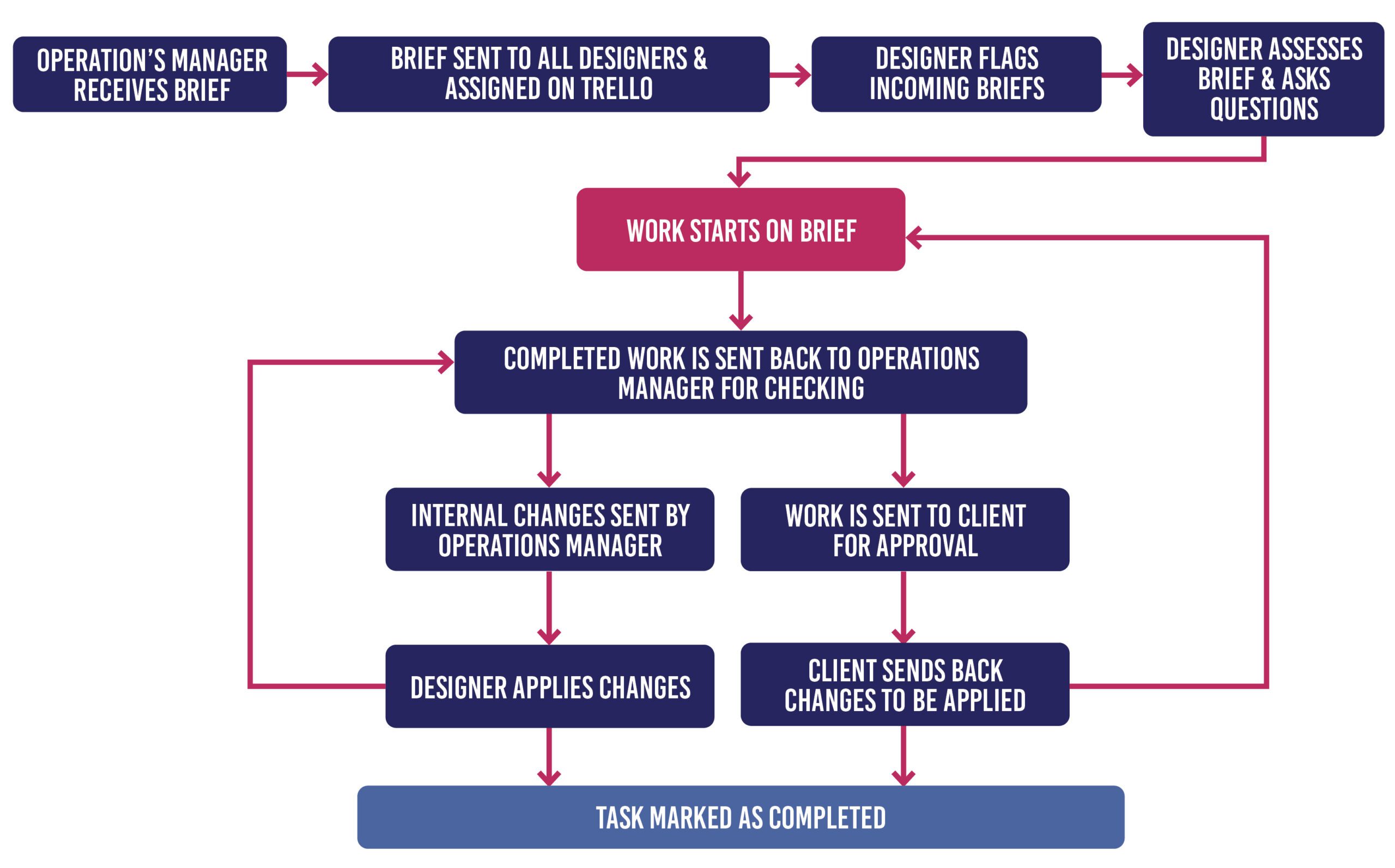
Make sure to check your emails for new tasks coming in, to flag them for when they are scheduled
Keep Trello open to see what is assigned to you for the day. Tasks may be moved around or rearranged during the day based on urgency, so be sure to keep Trello open and check regularly if any tasks have been moved or reassigned.
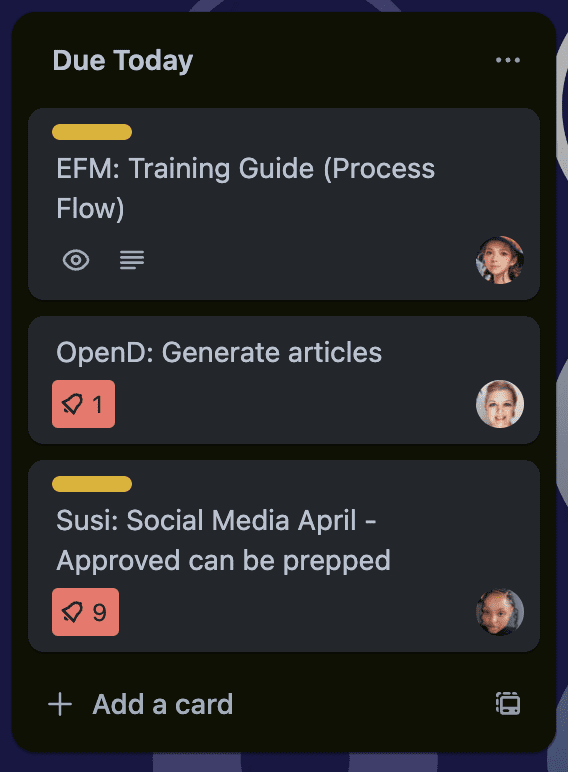
Tasks on Trello are assigned to each member according to urgency (from top to bottom) on the “Due Today” column.
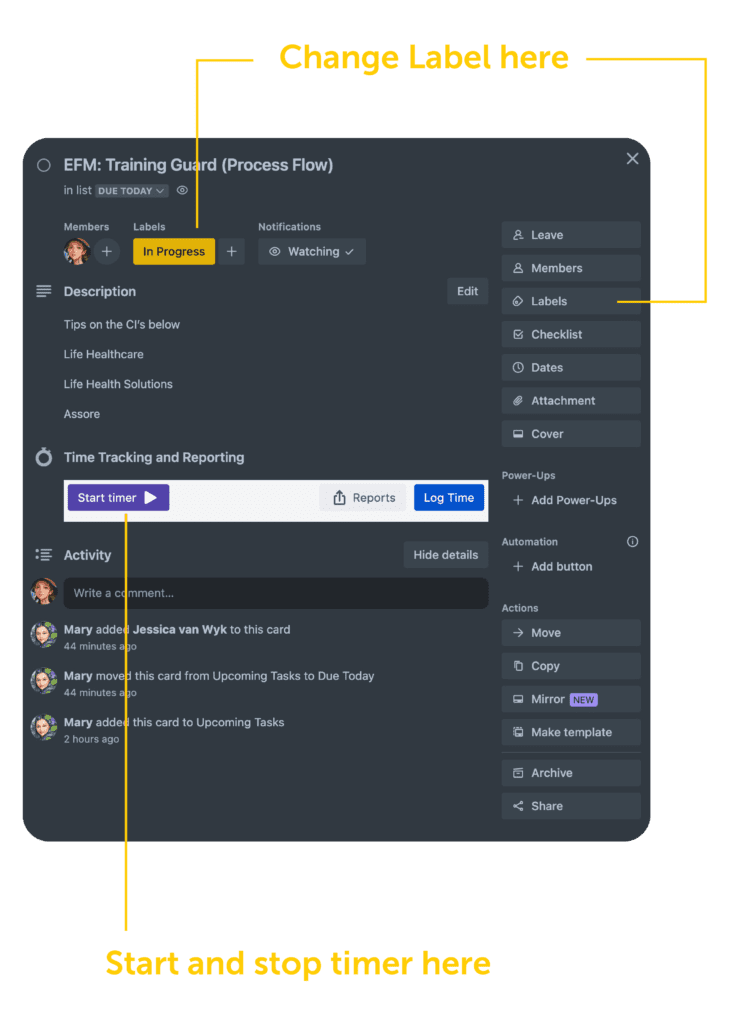
Before starting work on a task, open the card on Trello and change the label to “In Progress”. This allows the Operations Manager to see what is in progress, and what still needs to be done for the day All tasks that are due for the day will be under the “Due Today” column. All upcoming tasks for the week ahead will be listed under “Upcoming Tasks”. As a general rule, if you have completed all your tasks on the due today list, please ask anyone else if they need assistance with their tasks, or take tasks from the upcoming list to reduce the workload.
When you have labeled your task as “In Progress”, start the timer on the card and leave it to run for the duration of the work. Remember to stop the timer and log the time when completed with the task. If you forgot to start the timer, the time can be added manually as well.

Read through the email brief properly and if you have any questions ask the Operations Manager, or if she is not available, ask another designer in the team. Sometimes a change might not be clear and we need to go back to the client with additional questions before starting on the task.

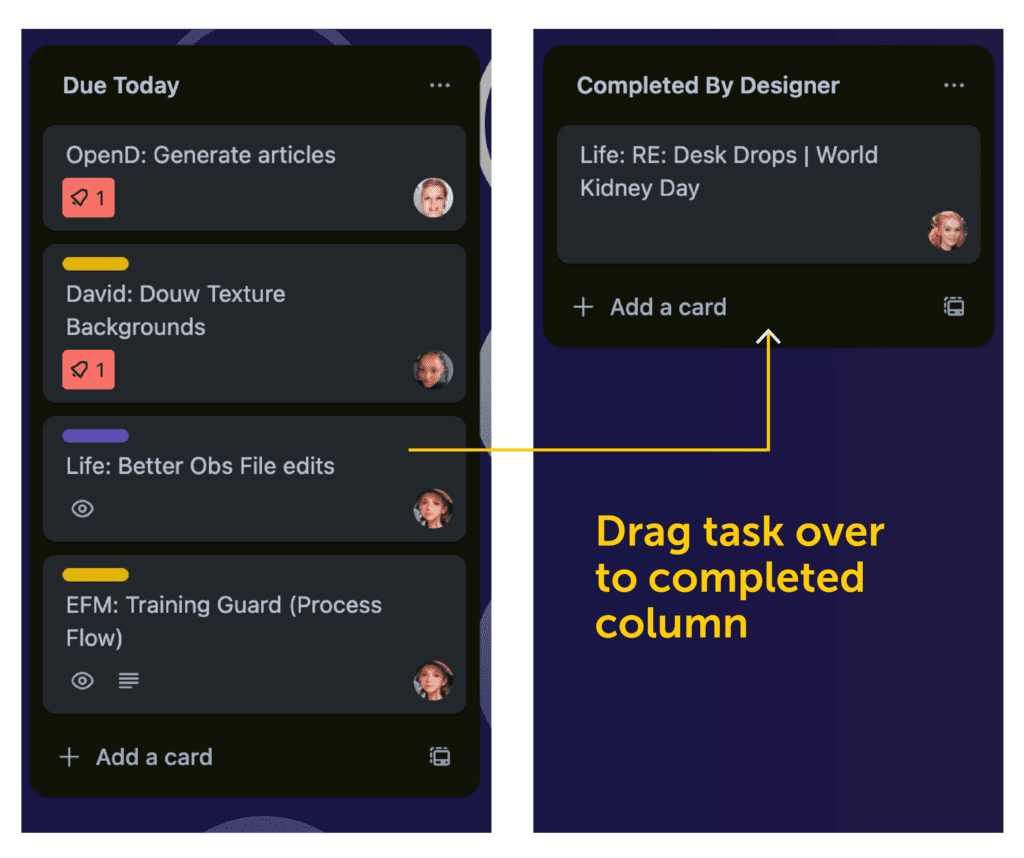
When you are done with a task, remove the “In Progress” label and move the card over to “Completed by Designer” so it can be checked by the Operations Manager before sending it off to the client.

Email the completed artwork to the Operations Manager mary@evenflowmedia.co.za or office@evenflowmedia.co.za. (For large files use WeTransfer and send the link back to the Operation’s Manager via email)

From here it will be checked and you will either receive internal feedback/changes from the Operations Manager, or it will be sent off to the client for approval.